

Provider-specific requirements
Usedatabricks_get_semantic_layer before choosing semantic table, metric, dimension, or filter names. Prefer databricks_run_semantic_query for governed analytics and databricks_run_query only when the user supplies SQL or explicitly needs SQL-level control.
When the customer already governs business measures in a Unity Catalog Metric View, use databricks_import_metric_view with its default preview mode. Review the generated YAML before using save: true. Metric View measures are mapped to Databricks MEASURE(...) expressions. parameterized Metric Views must be queried directly as table-valued functions.
Direct queries are read-only. Mutating SQL is unsupported because Statement Execution has no submission idempotency key. Use Databricks named parameter markers (:customer_id) with parameters. Never interpolate untrusted values into SQL.
Results are bounded and may be truncated. For large downstream datasets, use the Play dataset path, which performs count and page queries without loading the full result into agent context.
Connect Databricks
In Databricks, open SQL Warehouses, select the warehouse Deepline should use, and open Connection details. Map the values into Deepline as follows: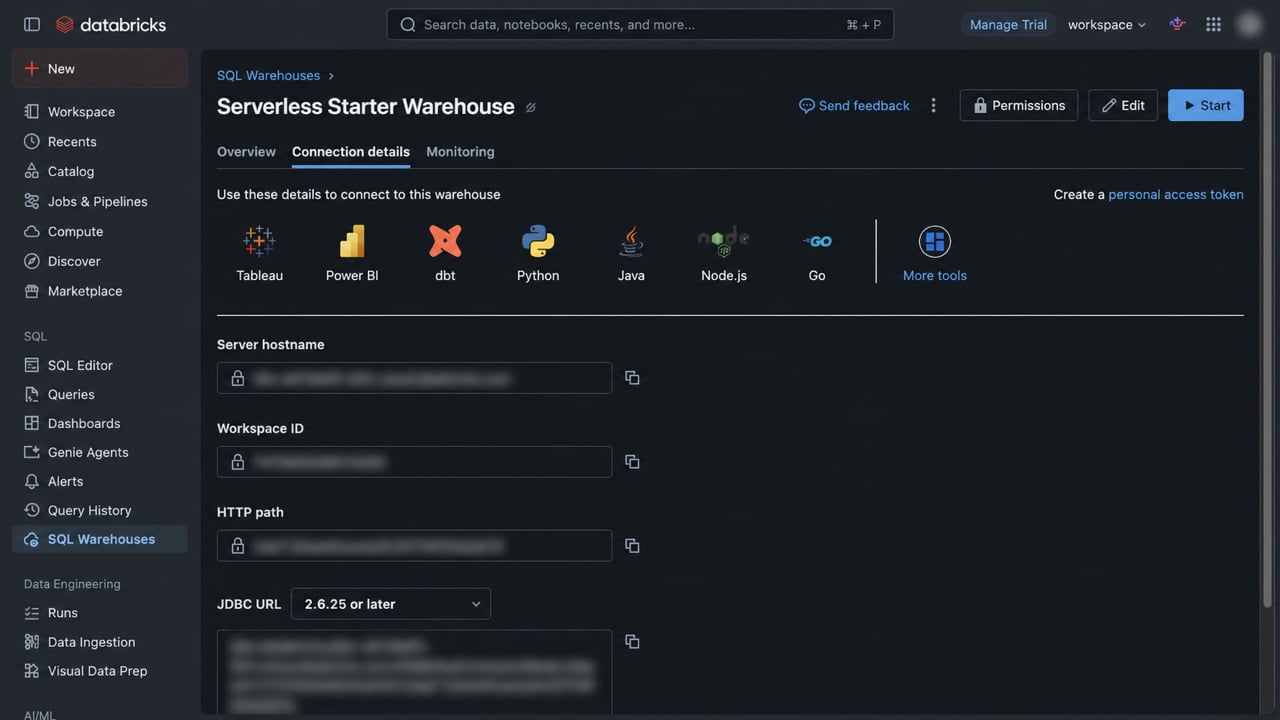
Workspace ID, JDBC URL, and the displayed OAuth URL are not required for a token connection. For production automation, prefer a Databricks service principal with OAuth M2M credentials and least-privilege
CAN USE access to the SQL warehouse plus the required Unity Catalog grants. Do not enter both a token and OAuth client credentials.
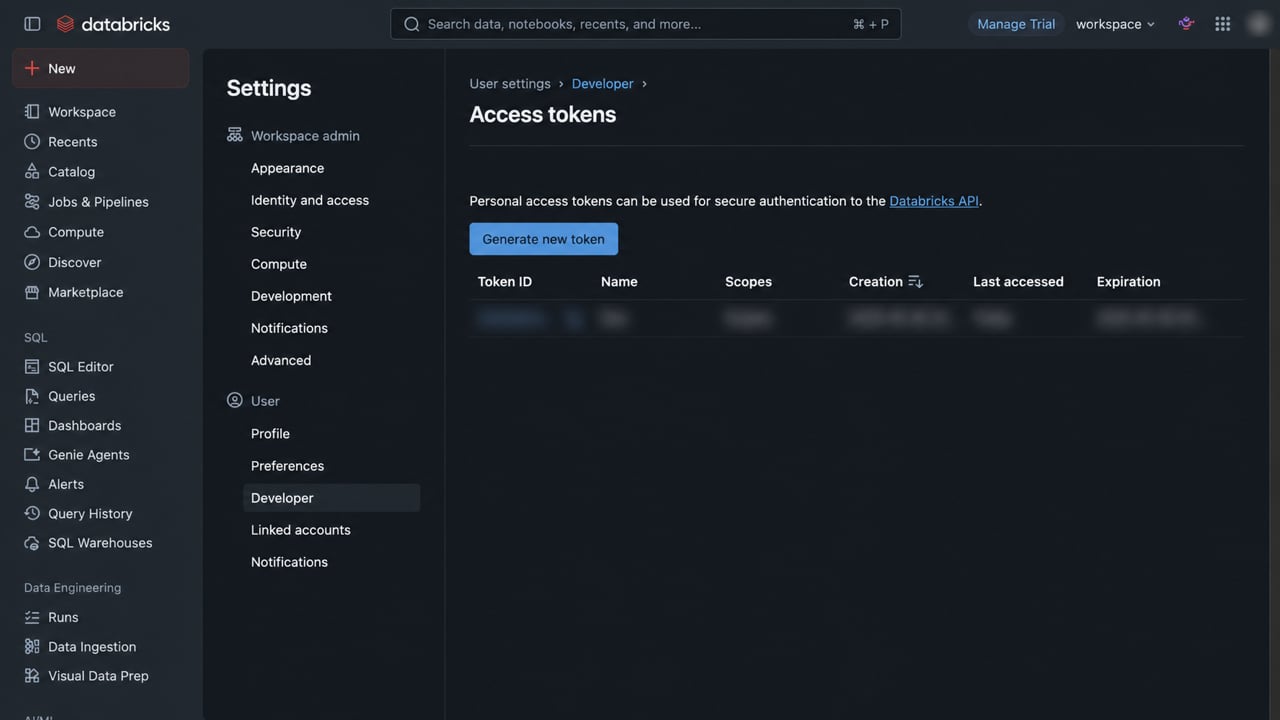
For PAT authentication, open Settings → Developer → Access tokens and select Generate new token. Copy the token when Databricks shows it. The value is displayed only during creation.
- SQL warehouse connection details
- Create a personal access token
- Authorize a service principal with OAuth M2M
Find an applicable action
Confirm your effective workspace, then search the live catalog:Inspect the selected contract
Replace<returned-tool-id> with the identifier returned by discovery:
Prepare one reviewed input
Use one authorized record that matches the inspected schema. Preserve its source identity and define the result you will accept. Open the action reference for its payload and response shape. Provider-backed execution can incur usage or external effects. For reusable logic, follow Write Plays. For direct-call recovery, use Tool execution recovery.Continue only when the workspace, provider, required fields, acceptance rule, and applicable price are understood. Keep unavailable access separate from no-result evidence.